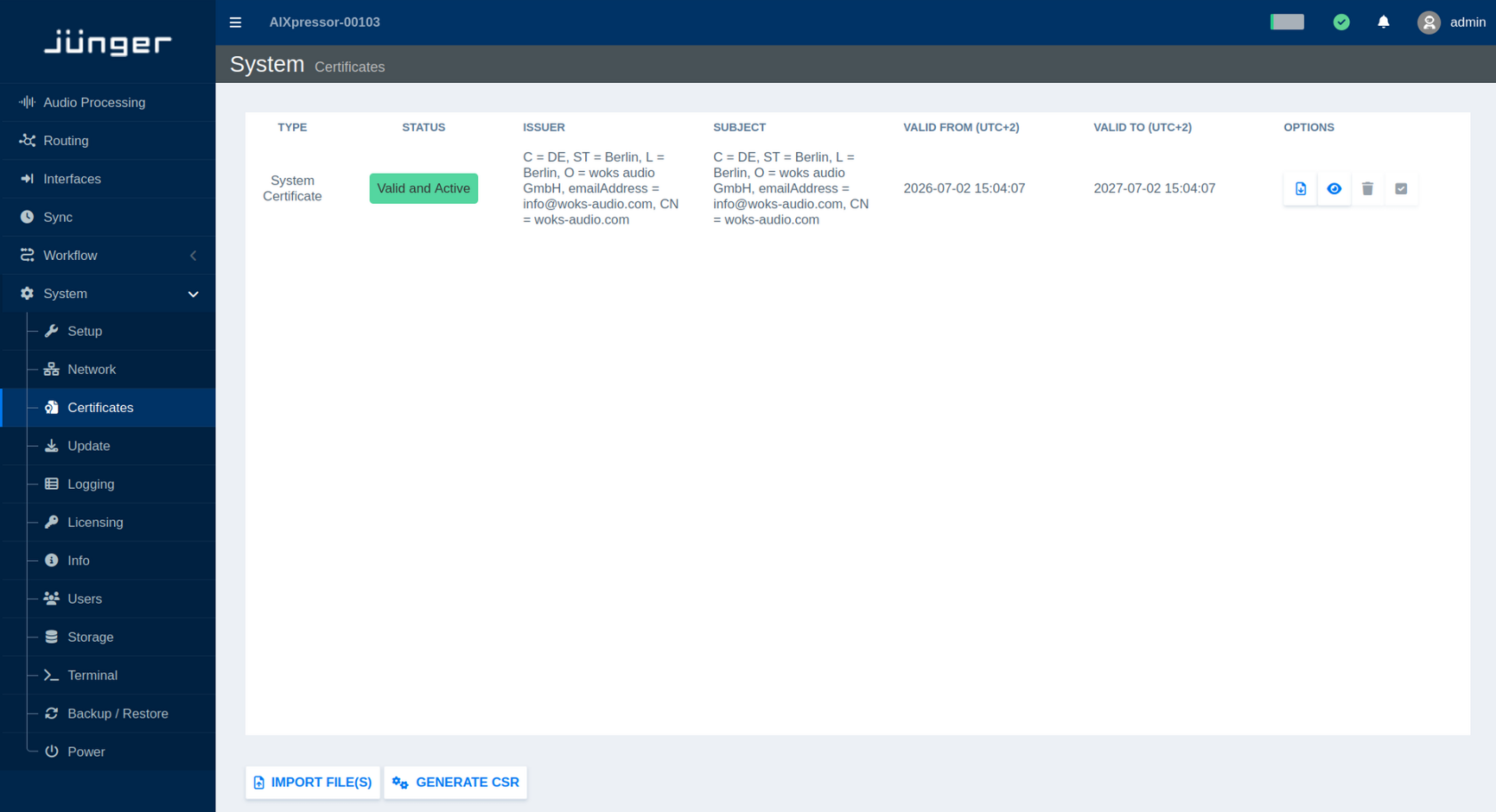
Certificates
If your flexAI system is connected to an open or untrusted network, we recommend using encrypted communication.
Starting with flexAI version 2023-12r1, secure client-server communication via HTTPS is supported. HTTPS uses TLS to encrypt the communication between the flexAI system and a client, such as a web browser or other software.
For HTTPS connections, the flexAI system provides a server certificate that allows the client to verify the server's identity and establish an encrypted connection.
Open the Certificates page to view and manage the certificates installed on the system.
By default, flexAI uses a self-signed certificate. Since this certificate is not issued by a trusted certificate authority (CA), web browsers may display a security warning when connecting to the system.
If your network uses a Certificate Authority (CA), you can generate a CSR (Certificate Signing Request) and have it signed by your CA.
Alternatively, you can import a certificate that includes the flexAI system's IP address and/or DNS name in its Subject Alternative Name (SAN) entries. If the issuing CA is trusted by the client, browsers can establish the HTTPS connection without displaying certificate warnings.
You can also download the currently installed certificate or display its details directly on the Certificates page.