# Network
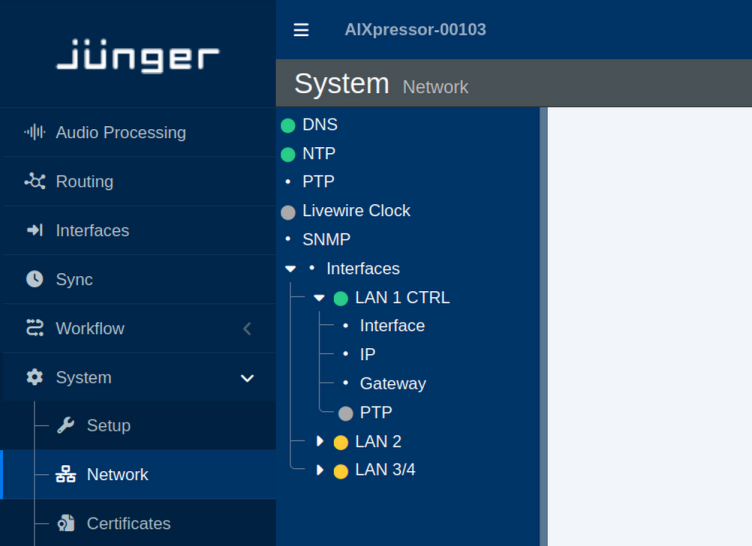
This section describes the network-related settings available in the flexAI web interface.
The examples in this section use \*\*LAN 1 CTRL\*\*, as labeled on the AIXpressor. The same configuration options are available for the other network interfaces, depending on the physical configuration of the flexAI system.
### Overview
[](https://docs.junger.audio/uploads/images/gallery/2026-09/scaled-1680-/NvziR8Gnk9RXWjec-network-main-png.png)
### DNS
[](https://docs.junger.audio/uploads/images/gallery/2026-09/scaled-1680-/1rONVy7UJalcphsB-bildschirmfoto-20260902-173737-png.png)
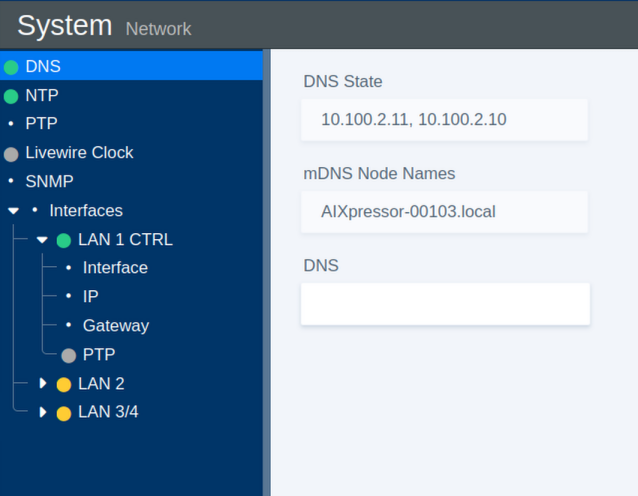
The **DNS** section provides the name resolution and local network discovery settings.
| Parameter | Values | Default | Description |
|---|
| DNS State | Status | - | Shows the current DNS state. |
| mDNS Node Name | Status | - | Shows the multicast DNS (mDNS) name used for local network discovery. |
| DNS | On / Off | - | Enables or disables standard DNS resolution for domain name lookups. |
### NTP
[](https://docs.junger.audio/uploads/images/gallery/2026-09/scaled-1680-/bwn0cHgk5kgOfoiY-bildschirmfoto-20260902-173754-png.png)
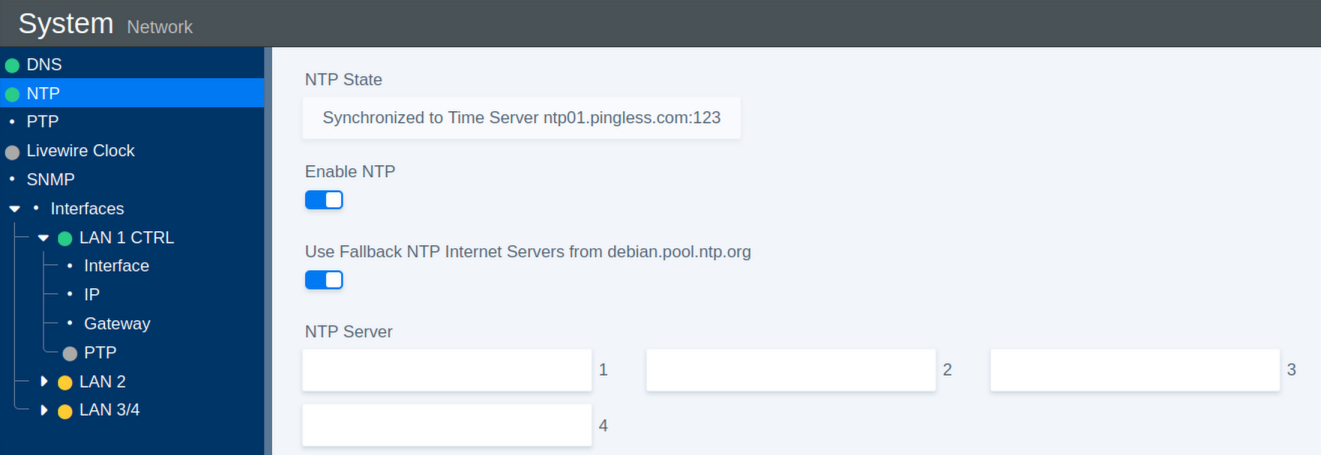
The **NTP** section configures Network Time Protocol synchronization for the system clock.
| Parameter | Values | Default | Description |
|---|
| NTP State | Status | - | Shows the NTP server to which the system is currently synchronized. |
| Enable NTP | On / Off | On | Enables or disables NTP time synchronization. |
| Use Fallback | On / Off | On | Enables fallback to public Debian NTP servers if none of the configured servers are available. |
| NTP Server 1 | URL | - | Defines the primary NTP server. |
| NTP Server 2 | URL | - | Defines the secondary NTP server. |
| NTP Server 3 | URL | - | Defines the tertiary NTP server. |
| NTP Server 4 | URL | - | Defines the fourth NTP server. |
### Livewire Clock
[](https://docs.junger.audio/uploads/images/gallery/2026-09/scaled-1680-/kY74f1nobtOkma5P-bildschirmfoto-20260902-173902-png.png)
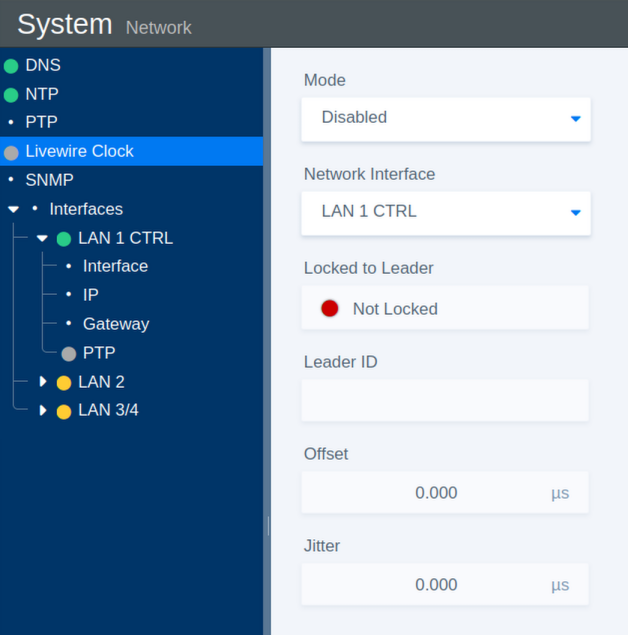
The **Livewire Clock** section provides synchronization settings and status information for Livewire clocking.
| Parameter | Values | Default | Description |
|---|
| Mode | On / Off | On | Enables or disables Livewire clock synchronization. |
| Network Interface | Select | - | Selects the network interface used for Livewire clock communication. |
| Locked to Leader | Status | - | Indicates whether the system is synchronized to the current Leader Clock. |
| Leader ID | Status | - | Shows the identifier of the current Leader Clock. |
| Offset | Status | - | Shows the time offset between the system and the Leader Clock. |
| Jitter | Status | - | Shows the measured timing jitter. |
### SNMP
[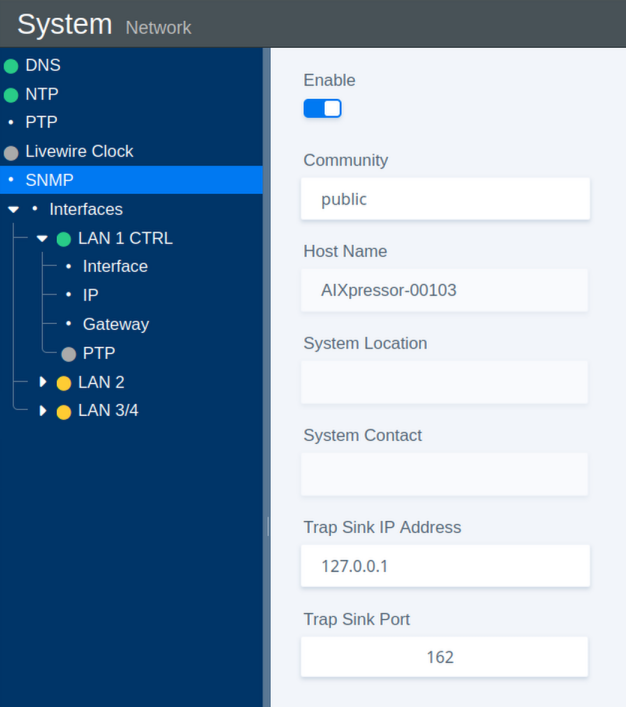](https://docs.junger.audio/uploads/images/gallery/2026-09/scaled-1680-/eZKktj2nvtOUxi3S-bildschirmfoto-20260902-173923-png.png)
The **SNMP** section configures Simple Network Management Protocol monitoring.
| Parameter | Values | Default | Description |
|---|
| Enable | On / Off | On | Enables or disables the SNMP agent. |
| Community | Name | public | Defines the community string used for SNMP access. |
| Host Name | Status | - | Shows the system host name. |
| System Location | Status | - | Shows the configured physical location of the system. |
| System Contact | Status | - | Shows the configured contact information for the system. |
| Trap Sink IP Address | IP Address | - | Defines the destination IP address for SNMP trap messages. |
| Trap Sink Port | Port Number | 162 | Defines the destination port for SNMP trap messages. |
### Interfaces: IP Address
[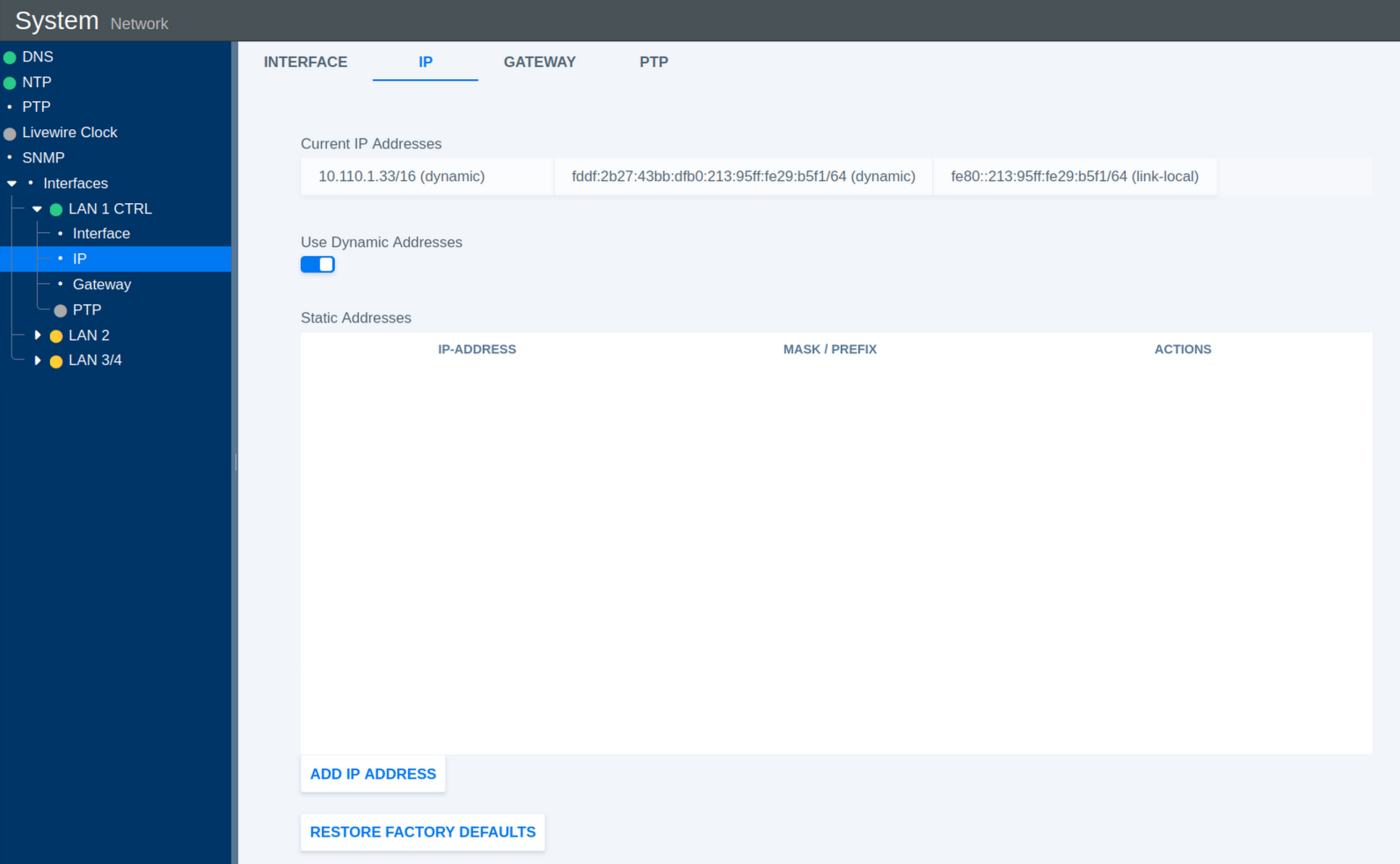](https://docs.junger.audio/uploads/images/gallery/2026-09/scaled-1680-/1rfAnoHYpso0zOh1-bildschirmfoto-20260902-173210-png.png)
This section configures the IP addresses assigned to the selected network interface.
| Parameter | Values | Default | Description |
|---|
| Current IP Addresses | Status | - | Shows all IP addresses currently assigned to the interface. |
| Use Dynamic Addresses | On / Off | On | Enables or disables automatic IP address assignment using DHCP. |
| Static Addresses | Status | - | Shows the manually configured static IP addresses. |
| Add IP Address | Action | - | Opens a dialog for adding a static IP address and subnet mask or prefix. |
| Restore Factory Defaults | Toggle | Off | Restores the IP configuration of the interface to its factory defaults. |
#### Add Static IP Address
[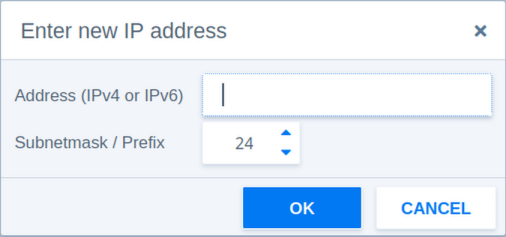](https://docs.junger.audio/uploads/images/gallery/2026-09/scaled-1680-/Bh6WYwcmHJKZeDAF-bildschirmfoto-20260902-182044-png.png)
The following parameters are available when adding a static IP address manually.
| Parameter | Values | Default | Description |
|---|
| Address | IPv4 or IPv6 | - | Defines the static IP address. |
| Subnetmask / Prefix | 3-127 | 24 | Defines the network prefix length or subnet mask. |
| Prefix Example 1 | 24 | - | Corresponds to the IPv4 subnet mask 255.255.255.0. |
| Prefix Example 2 | 16 | - | Corresponds to the IPv4 subnet mask 255.255.0.0. |
### Interfaces: Gateway
[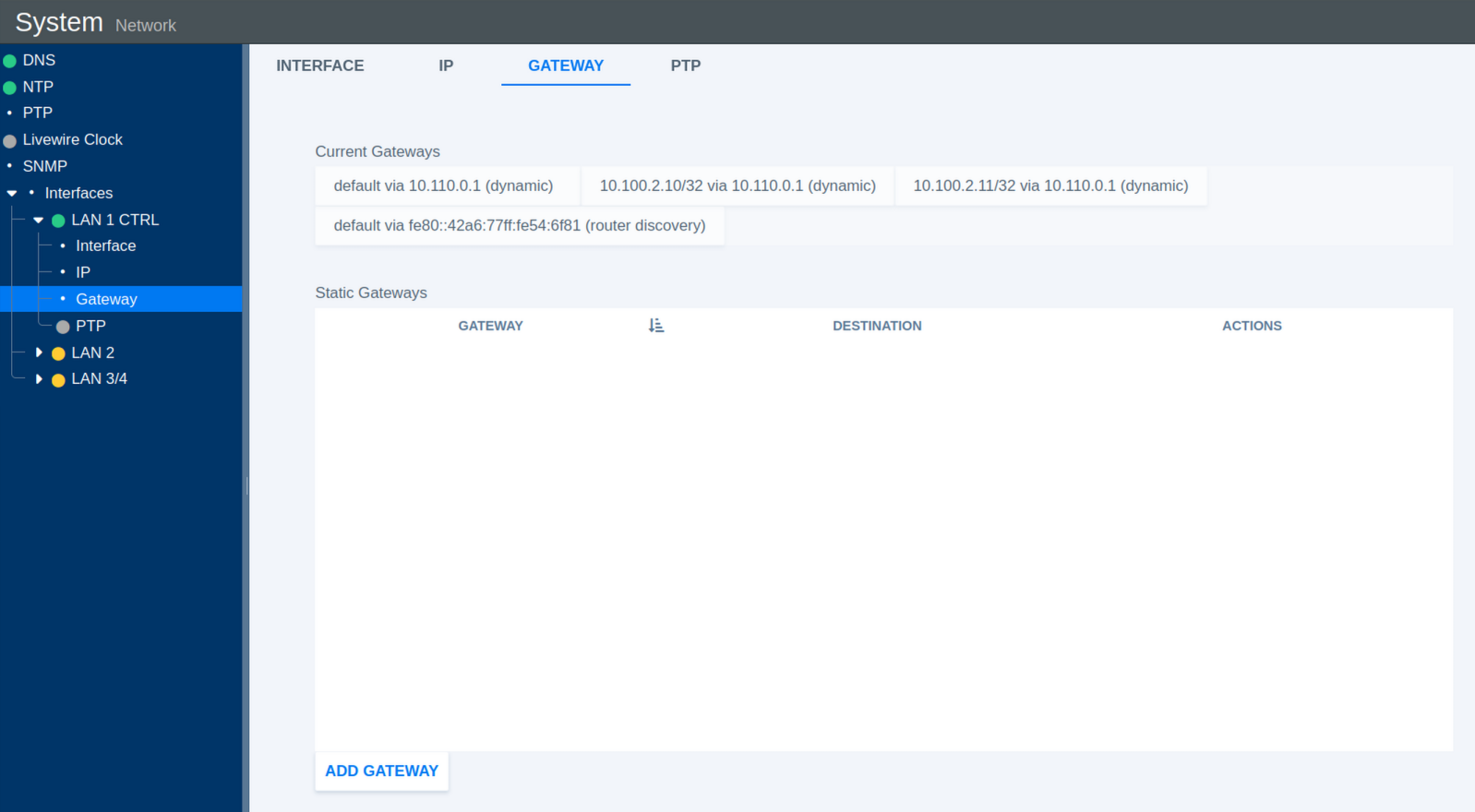](https://docs.junger.audio/uploads/images/gallery/2026-09/scaled-1680-/MBr1QxOWntpxgJBk-bildschirmfoto-20260902-173643-png.png)
This section configures network gateways for the selected interface.
| Parameter | Values | Default | Description |
|---|
| Current Gateways | Status | - | Shows all currently active gateway addresses. |
| Static Gateways | Status | - | Shows manually configured static gateway addresses. |
| Add Gateway | Action | - | Opens a dialog for adding a static gateway. |
#### Add Static Gateway
[](https://docs.junger.audio/uploads/images/gallery/2026-09/scaled-1680-/ZsjcmNC8KBPXvSDi-bildschirmfoto-20260902-182112-png.png)
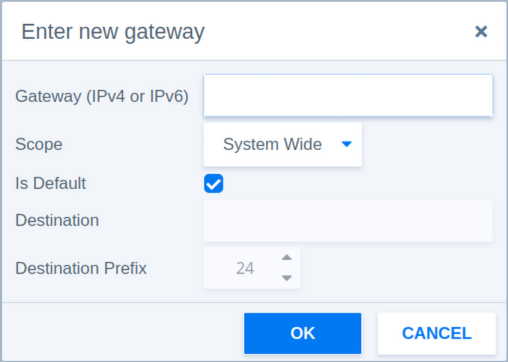
The following parameters are available when adding a static gateway manually.
| Parameter | Values | Default | Description |
|---|
| Gateway | IPv4 or IPv6 | - | Defines the gateway IP address. |
| Scope | System Wide / Link Specific | System Wide | **System Wide** makes the gateway available system-wide. **Link Specific** associates the gateway with the selected network interface only. |
| Is Default | Checkbox | - | Sets this gateway as the default route for traffic that does not match a more specific route. |
| Destination Prefix | 3-127 | 24 | Defines the network prefix length of the destination route. |
### Interfaces: PTP
[](https://docs.junger.audio/uploads/images/gallery/2026-09/scaled-1680-/BDvDAOiVRx6KwIVz-bildschirmfoto-20260902-173707-png.png)
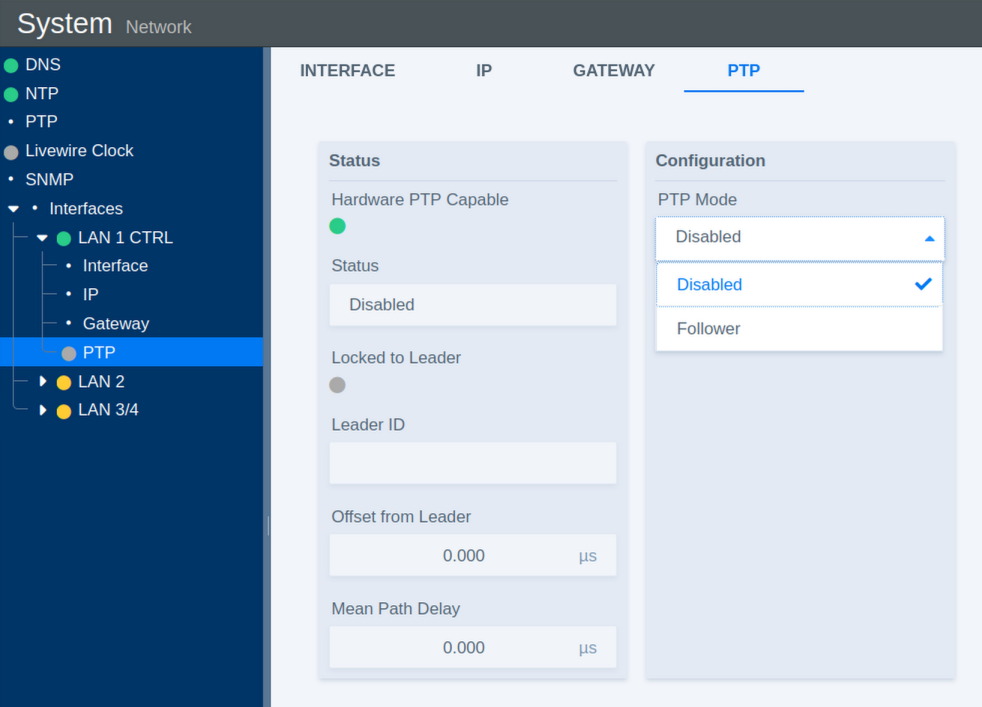
The **PTP** section configures Precision Time Protocol synchronization for the selected network interface.
| Parameter | Values | Default | Description |
|---|
| Status | Error / Enabled / Disabled | Disabled | Shows the current operational state of PTP synchronization. |
| Locked to Leader | Indicator | - | Indicates whether the system is successfully synchronized to a PTP Leader Clock. |
| Leader ID | Status | - | Shows the identifier of the current PTP Leader Clock. |
| Offset from Leader | Status | - | Shows the time deviation from the Leader Clock in nanoseconds. |
| Mean Path Delay | Status | - | Shows the measured mean network path delay for PTP communication. |
| PTP Mode | Disabled / Follower | Follower | **Disabled** turns off PTP synchronization on this interface. **Follower** synchronizes the system to an external PTP Leader Clock. |
### PTP Clock Settings
[](https://docs.junger.audio/uploads/images/gallery/2026-09/scaled-1680-/NvaW5ZkyA7ZRR4jX-bildschirmfoto-20260902-173814-png.png)
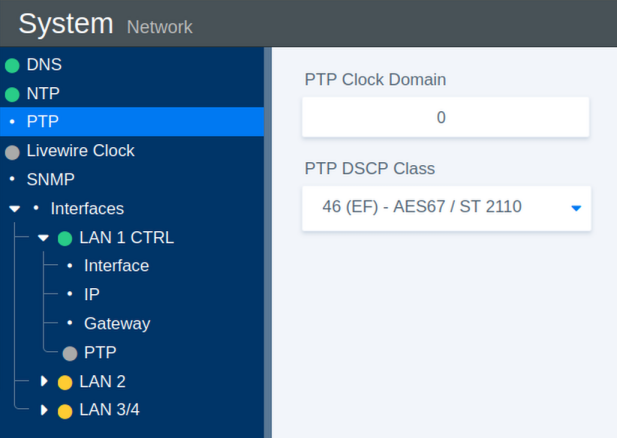
These parameters define the general PTP clock settings.
| Parameter | Values | Default | Description |
|---|
| PTP Clock Domain | 0-127 | 0 | Defines the PTP domain number. Only PTP devices operating in the same domain participate in the same synchronization instance. |
| PTP DSCP Class | 0-63 | 46 | Defines the Differentiated Services Code Point (DSCP) used to prioritize PTP network traffic. |