Routing Presets
Presets can be managed by clicking on the Preset icons:
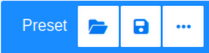
| Parameter | Function |
| File Icon | Open the Load Preset dialog |
| Floppy Disc Icon | Open the Save Preset dialog |
| Three Dots Icon | Open more dialogs (Preset Operations), mainly used to open the Delete Preset dialog |
Save Presets
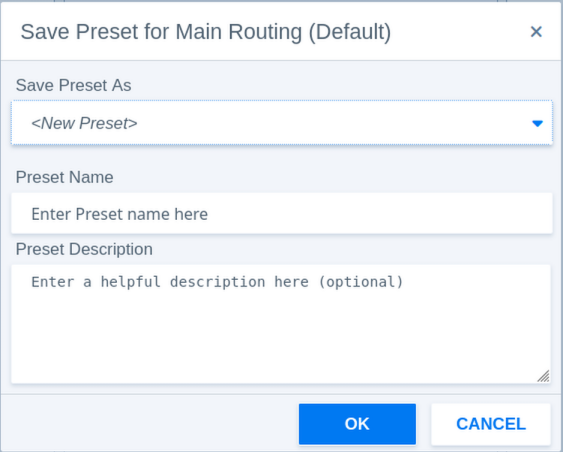
| Parameter - Save Preset | Function |
| Save Preset As | Select to create a new preset or overwrite an existing preset. |
| Preset Name | Enter a preset name here. |
| Preset Description | Optionally a description can be added to help identifying presets. |
Load Presets
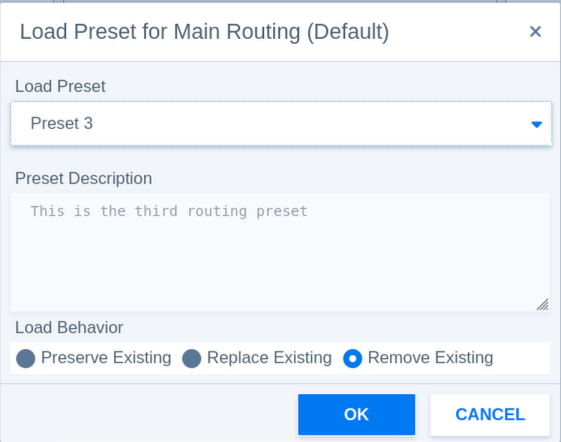
| Parameter - Load Preset | Function |
| Load Preset | Select the preset to load. |
| Preset Description | The description helps identifying presets. |
| Load Behaviour | Decides what happens to existing routings. |
| Preserve Existing | Routings in the preset will be added to the existing routings. This might cause conflicts when destinations are used in multiple connections. |
| Replace Existing | Replaces routings with the same destinations only. |
| Remove Existing | Removes all existing routings and creates new routing connections from the preset values. |
Preset Operations (Delete Presets)
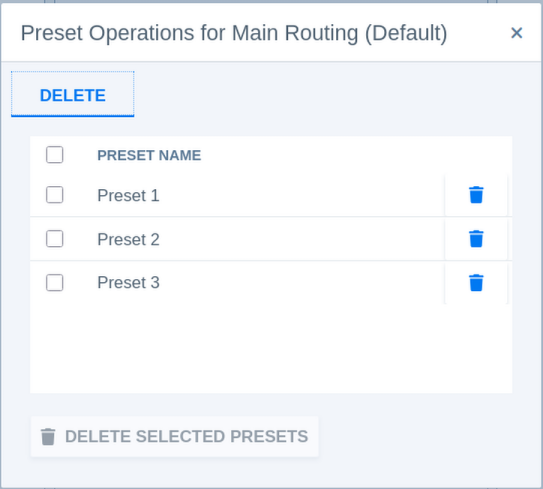
| Parameter - Delete Preset | Function |
| Select Preset | Select the preset(s) to delete. |
| Bin Icon | Delete individual presets. |
| Delete Selected Presets | Delete all selected presets. |