tieLight / MADI
MADI / tieLight
The tieLight / MADI section configures the SFP-based multichannel audio interfaces available on compatible flexAI systems.
The two SFP interfaces can be operated independently, as a redundant pair, or individually assigned to MADI and tieLight.
MADI and tieLight require different SFP module types and are not interchangeable. When changing an interface between MADI and tieLight, make sure that the appropriate SFP module is installed.
tieLight is a proprietary Jünger Audio point-to-point interface for transporting multichannel audio between compatible systems. It remains supported on compatible hardware but requires additional configuration.
Setup
Select Setup under tieLight / MADI to configure the operating mode of the two interfaces.
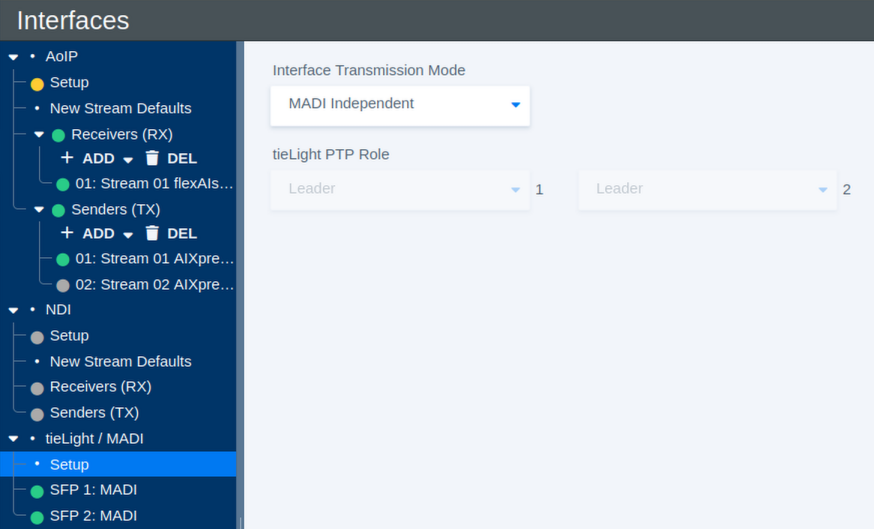
| Parameter | Values | Default | Description |
|---|---|---|---|
| Interface Transmission Mode | MADI Independent / MADI Redundant / tieLight Independent / tieLight Redundant / IF1:MADI IF2:tieLight / IF1:tieLight IF2:MADI | - | Defines how the two SFP interfaces are used and whether they operate independently or as a redundant pair. |
| tieLight PTP Role – Interface 1 | Available PTP roles | - | Defines the PTP role of Interface 1 when it is configured for tieLight. |
| tieLight PTP Role – Interface 2 | Available PTP roles | - | Defines the PTP role of Interface 2 when it is configured for tieLight. |
Interface Transmission Modes
MADI Independent operates both interfaces as separate MADI interfaces. Each interface can carry its own audio signals.
MADI Redundant operates the two interfaces as a redundant MADI pair. Both interfaces carry the same channels, providing an alternative path if one connection fails.
tieLight Independent operates both interfaces as separate tieLight connections.
tieLight Redundant operates the two interfaces as a redundant tieLight pair.
The mixed modes IF1:MADI IF2:tieLight and IF1:tieLight IF2:MADI allow one SFP interface to carry MADI while the other carries tieLight.
When selecting a different transmission mode, also check that the SFP module installed in each interface matches the selected protocol.
The redundancy function monitors the availability of the complete MADI or tieLight signal path. It can switch to the redundant interface if the primary signal is lost, but it does not detect or compensate for failures affecting individual audio channels within an otherwise valid signal.
MADI Interface Status
Select an individual MADI interface, such as SFP 1: MADI or SFP 2: MADI, to view its current receive and signal status.
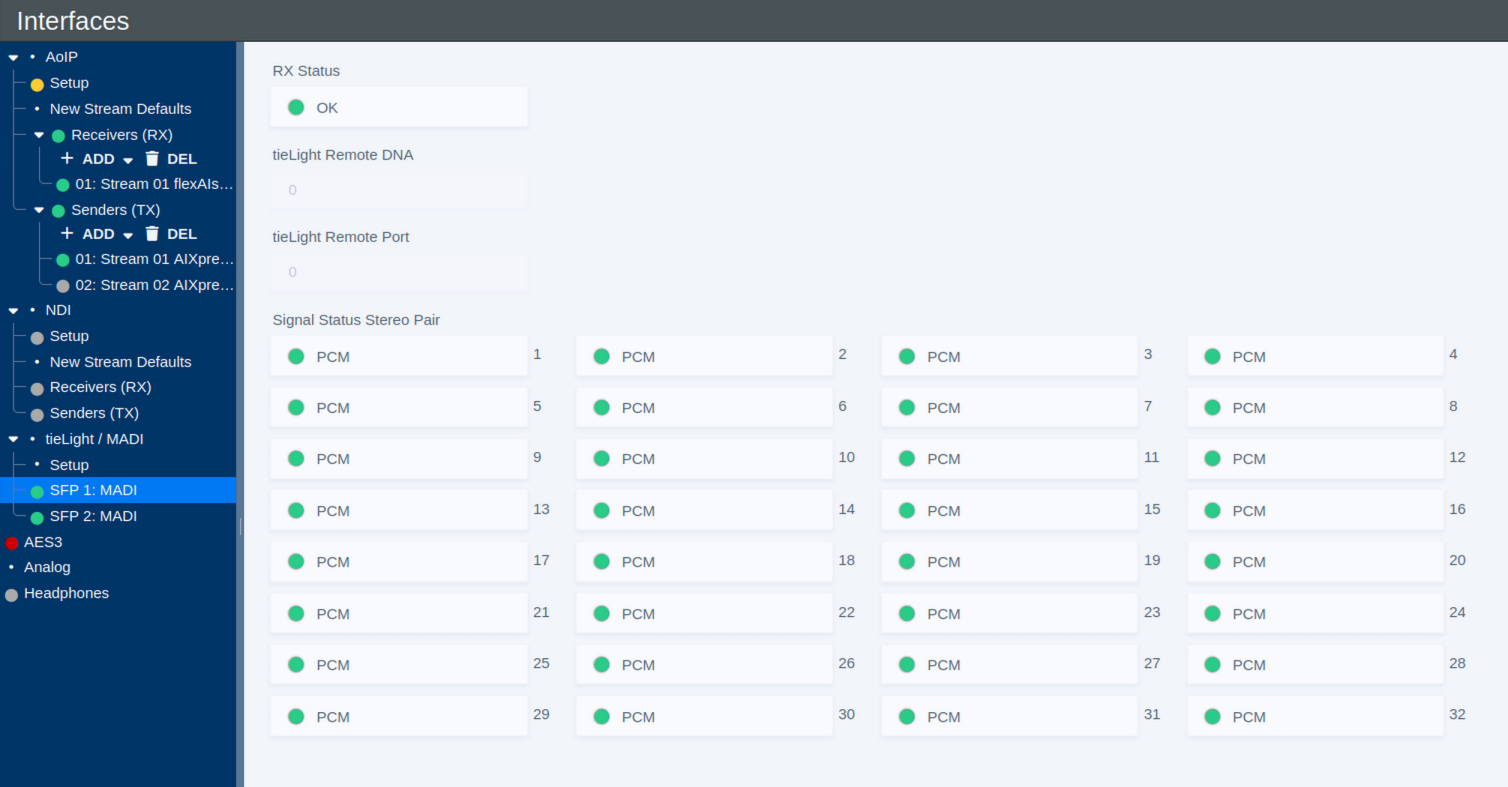
| Parameter | Values | Default | Description |
|---|---|---|---|
| RX Status | Status | - | Shows the overall receive status of the MADI interface. |
| Signal Status Stereo Pair | Status per stereo pair | - | Shows the detected signal status for each of the 32 stereo pairs carried by the 64-channel MADI interface. A status such as PCM indicates that PCM audio is detected for the corresponding pair. |
The per-pair status display provides a quick overview of the incoming MADI signal and can be useful when checking the connection and available audio channels.
tieLight Status
When an SFP interface is operated in tieLight mode, the interface page provides status information for the tieLight connection, including information about the connected remote endpoint.
| Parameter | Values | Default | Description |
|---|---|---|---|
| RX Status | Status | - | Shows the overall receive status of the tieLight interface. |
| tieLight Remote DNA | Status | - | Shows the DNA identifier reported by the remote tieLight device. |
| tieLight Remote Port | Status | - | Shows the remote tieLight port associated with the connection. |