
Dynamics
Applicability
This description applies to the Mono and Stereo version of the Dynamics module.
Dynamics is used in the Voice Processing Channel Strip. In block diagrams and Processor layouts, the module may also appear as Advanced Dynamics or Dyn.
Overview
Dynamics is a module for detailed dynamic range control of a voice signal. It combines compressor, expander, upward and downward compression, side-chain filtering, lookahead processing, and soft limiting in one processing stage.
The module is intended for speech and voice processing where dynamic control must be more detailed than a simple compressor or expander stage.
Processing Principle
The module analyzes the signal level and applies gain changes according to the configured compression, expansion, and limiting settings. Downward compression reduces level differences above the selected threshold, while upward compression can raise lower-level signal components toward a reference level.
The expander stage can reduce low-level signal components, and the soft limiter can control peaks at the end of the dynamics stage. Side-chain filters can be used to shape the detector signal that controls the dynamics behavior.
Parameters
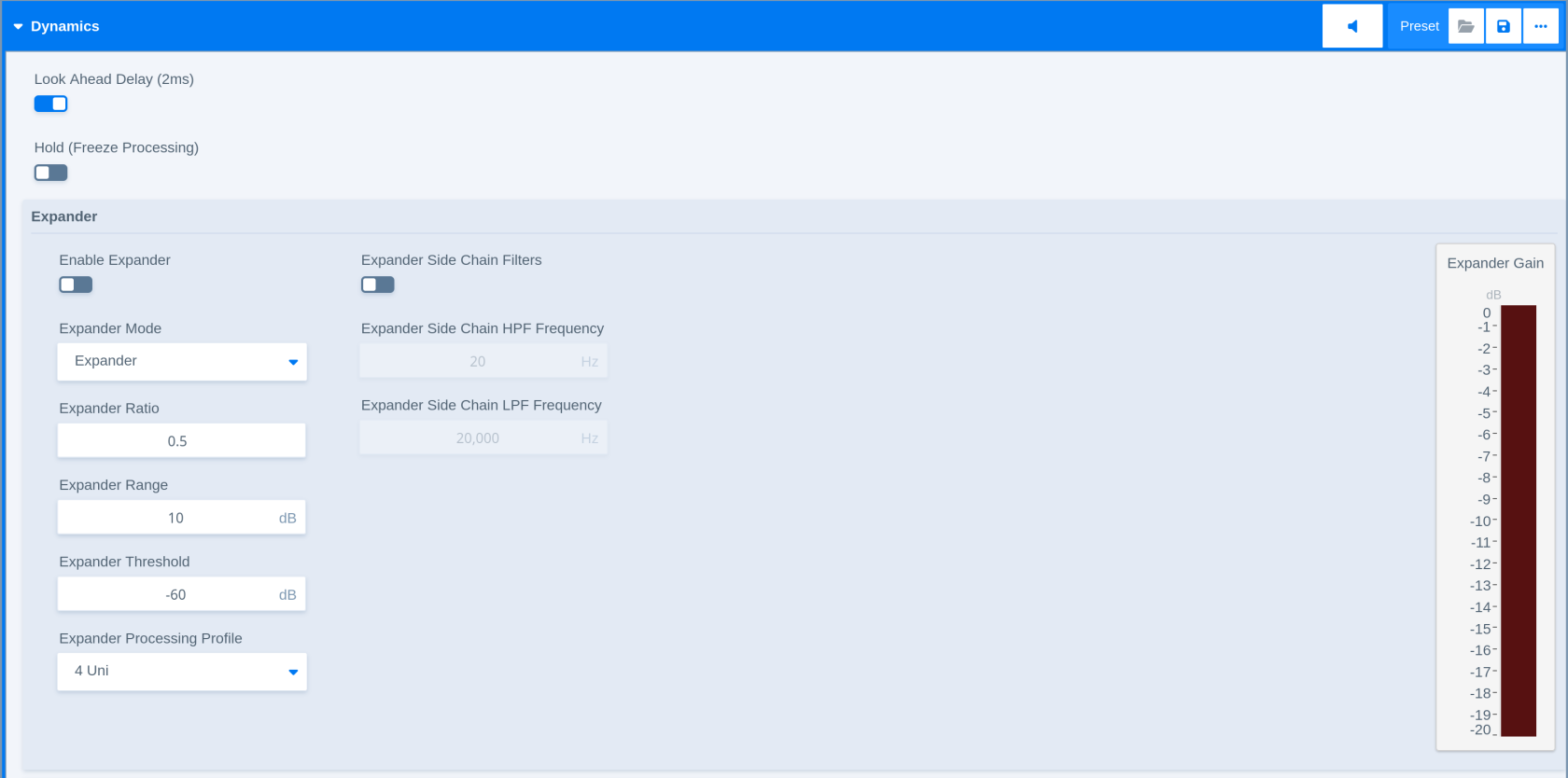
|
Parameter - Expander |
Description |
|---|---|
|
Expander Enable |
Enables or disables the expander stage. |
|
Expander Mode |
Selects the expander operating mode. |
|
Expander Threshold |
Sets the level below which expansion becomes active. |
|
Expander Ratio |
Sets the amount of expansion below the threshold. |
|
Expander Range |
Limits the maximum gain reduction applied by the expander. |
|
Expander Processing Profile |
Selects the processing profile for the expander. |
|
Parameter - Expander Side Chain Filter |
Description |
|
Expander Side-chain Filters Enable |
Enables or disables side-chain filtering for the expander. |
|
Expander Side-chain HPF Frequency |
Sets the high-pass filter frequency used in the expander side chain. |
|
Expander Side-chain LPF Frequency |
Sets the low-pass filter frequency used in the expander side chain. |
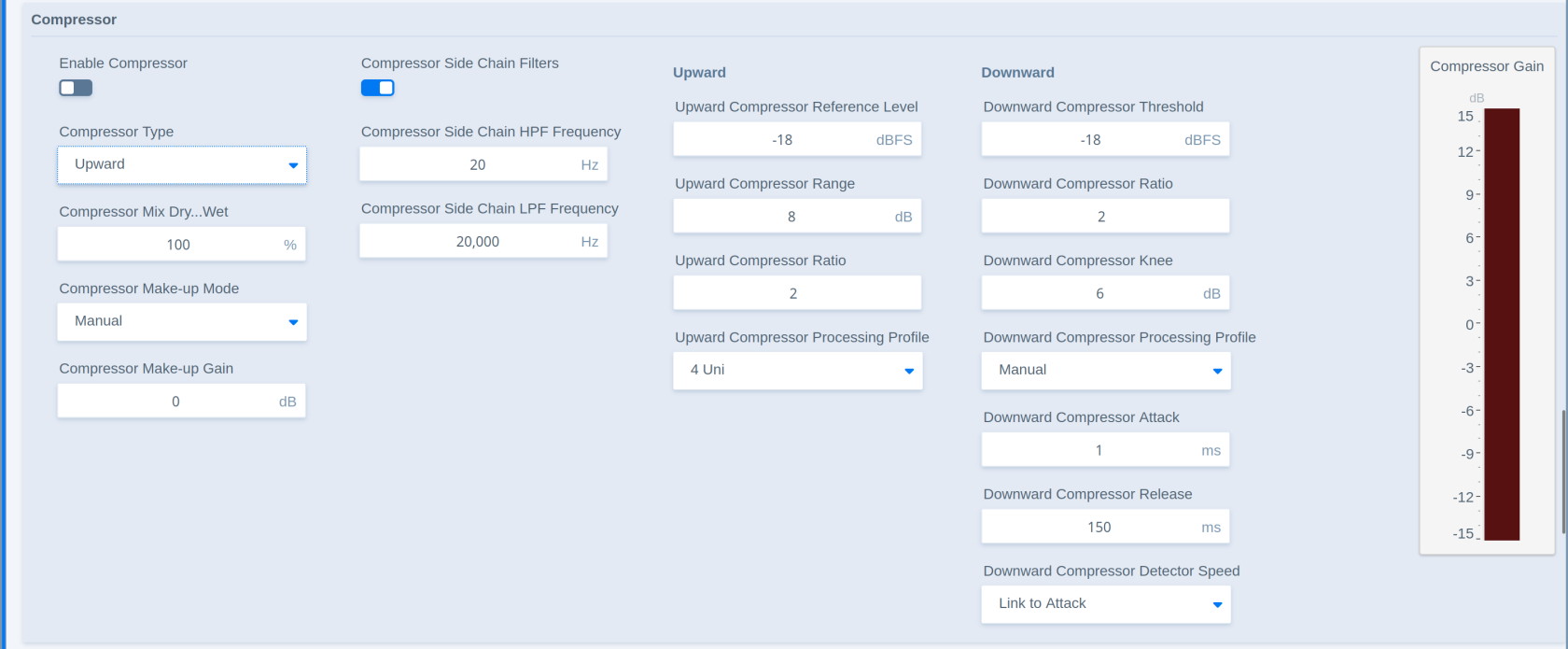
|
Parameter - Compressor |
Description |
|---|---|
|
Compressor Enable |
Enables or disables the compressor stage. |
|
Compressor Type |
Selects the compressor operating type between a traditional downward compressor and the classic ‘Jünger style’ upward compressor. |
|
Compressor Mix Dry/Wet |
Sets the blend between the unprocessed and compressed signal. |
|
Compressor Make-up Mode |
Selects how make-up gain is applied after compression. |
|
Compressor Make-up Gain |
Adjusts the gain applied after compression. |
|
Parameter - Compressor Side Chain Filter |
Description |
|
Compressor Side-chain Filters Enable |
Enables or disables side-chain filtering for the compressor. |
|
Compressor Side-chain HPF Frequency |
Sets the high-pass filter frequency used in the compressor side chain. |
|
Compressor Side-chain LPF Frequency |
Sets the low-pass filter frequency used in the compressor side chain. |
|
Parameter - Upward Compressor |
Description |
|
Upward Compressor Reference Level |
Sets the reference level used by the compressor. The reference level is the point where the compression response curve crosses with the linear response. |
|
Upward Compressor Range |
Limits the maximum compression range. The range parameter works symmetrical (above and below reference level). |
|
Upward Compressor Ratio |
Sets the amount of compression by the steepness of the response curve. |
|
Upward Compressor Processing Profile |
Selects the compressor processing profile which represent the attack and release timings of the processor. |
|
Parameter - Downward Compressor |
Description |
|
Downward Compressor Threshold |
Sets the level above which downward compression becomes active. |
|
Downward Compressor Ratio |
Sets the amount of gain reduction above the threshold. |
|
Downward Compressor Knee |
Controls the transition around the compression threshold. |
|
Downward Compressor Processing Profile |
Selects the processing profile for the downward compressor. |
|
Downward Compressor Attack |
Sets how quickly gain reduction reacts to level increases. |
|
Downward Compressor Release |
Sets how quickly gain reduction recovers after the signal falls back. |
|
Downward Compressor Detector Speed |
Sets the detector response used by the downward compressor. |
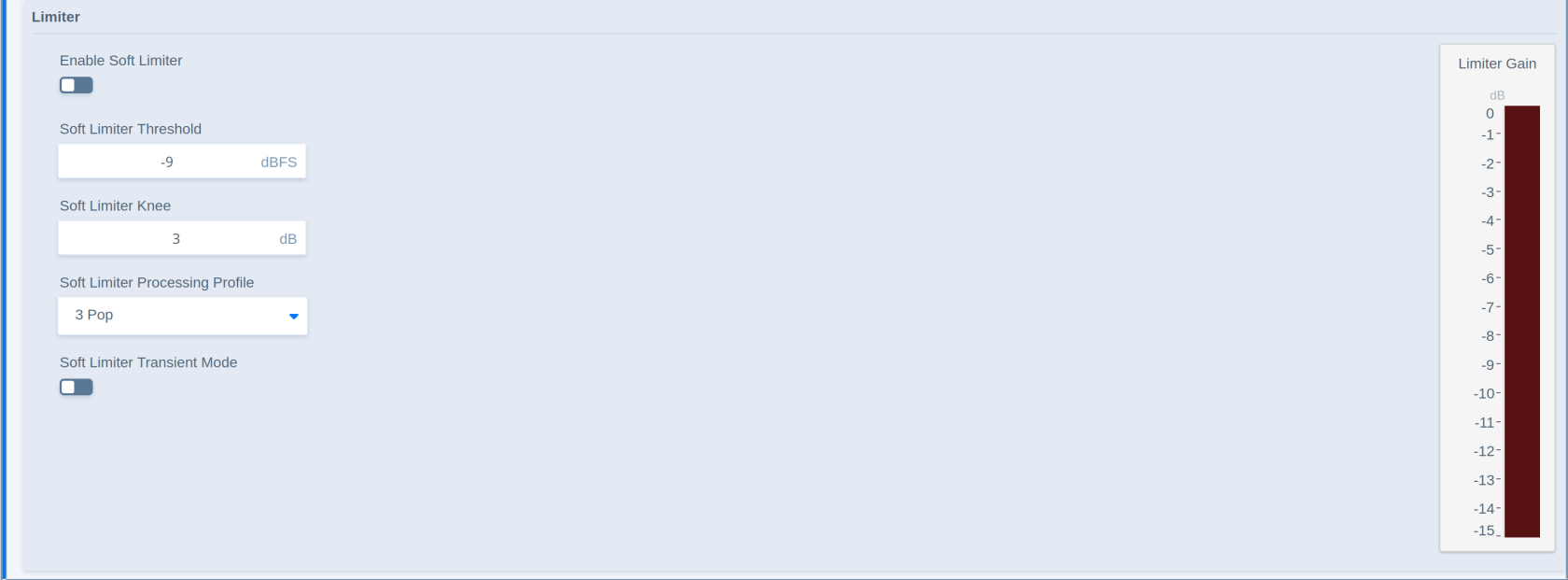
|
Parameter - Limiter |
Description |
|---|---|
|
Enable Soft Limiter Enable |
Enables or disables the soft limiter stage. |
|
Soft Limiter Threshold |
Sets the level at which the soft limiter becomes active. |
|
Soft Limiter Knee |
Controls the response curve’s transition into soft limiting. |
|
Soft Limiter Processing Profile |
Selects the processing profile for the soft limiter. |
|
Soft Limiter Transient Mode |
Selects the transient behavior used by the soft limiter. Transient mode speeds up attack to catch transients more efficiently. |
Related Processors
-
Voice Processing Channel Strip