
Network
This section describes the network-related settings available in the flexAI web interface.
The examples in this section use **LAN 1 CTRL**, as labeled on the AIXpressor. The same configuration options are available for the other network interfaces, depending on the physical configuration of the flexAI system.
Important - IGMP Snooping must be enabled on all switch ports connected to flexAI systems. Otherwise, forwarded multicast traffic may stress the connected system.
Overview
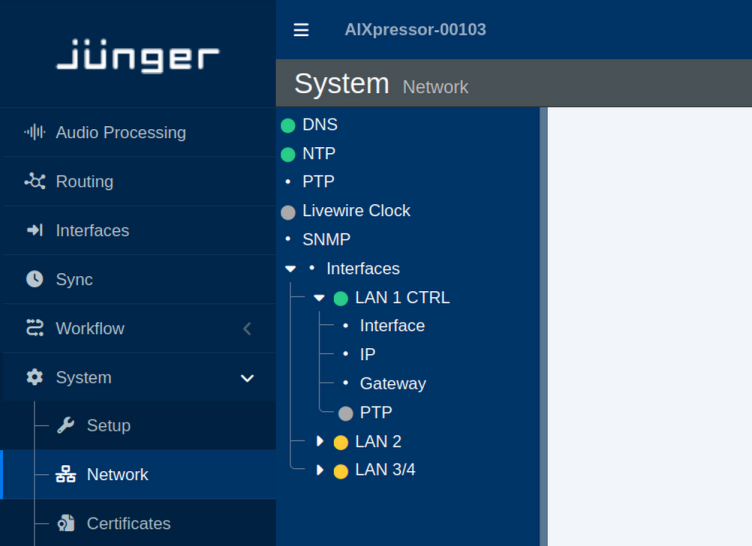
DNS
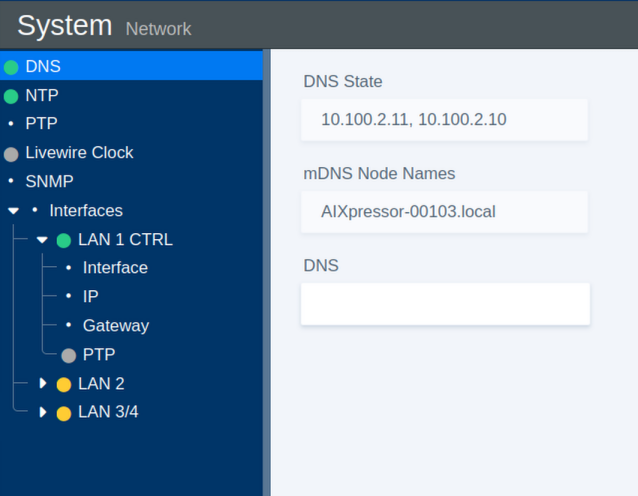
The DNS section provides the name resolution and local network discovery settings.
| Parameter | Values | Default | Description |
|---|---|---|---|
| DNS State | Status | - | Shows the current DNS state. |
| mDNS Node Name | Status | - | Shows the multicast DNS (mDNS) name used for local network discovery. |
| DNS | On / Off | - | Enables or disables standard DNS resolution for domain name lookups. |
NTP
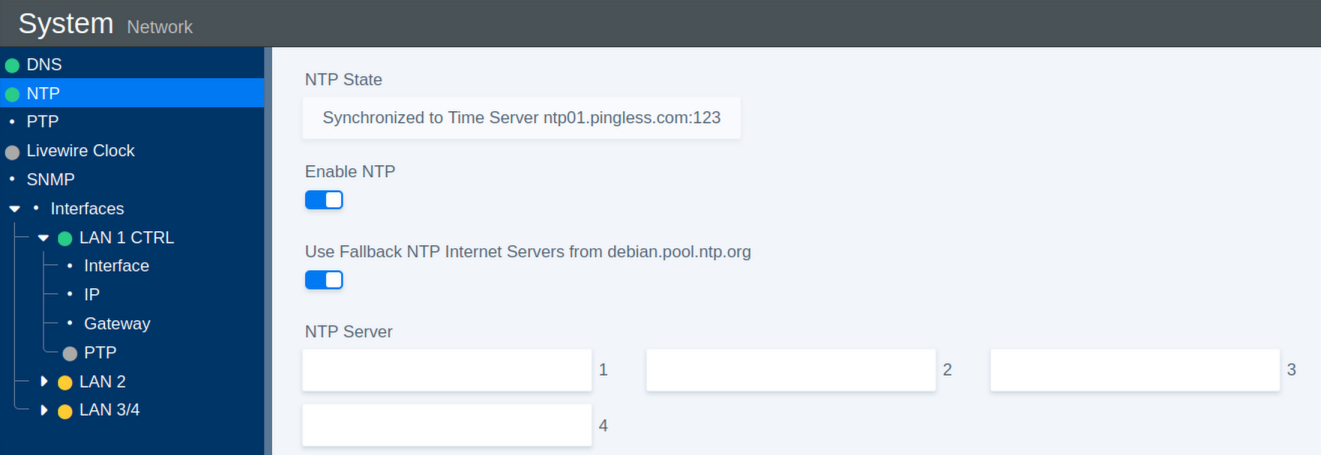
The NTP section configures Network Time Protocol synchronization for the system clock.
| Parameter | Values | Default | Description |
|---|---|---|---|
| NTP State | Status | - | Shows the NTP server to which the system is currently synchronized. |
| Enable NTP | On / Off | On | Enables or disables NTP time synchronization. |
| Use Fallback | On / Off | On | Enables fallback to public Debian NTP servers if none of the configured servers are available. |
| NTP Server 1 | URL | - | Defines the primary NTP server. |
| NTP Server 2 | URL | - | Defines the secondary NTP server. |
| NTP Server 3 | URL | - | Defines the tertiary NTP server. |
| NTP Server 4 | URL | - | Defines the fourth NTP server. |
Livewire Clock
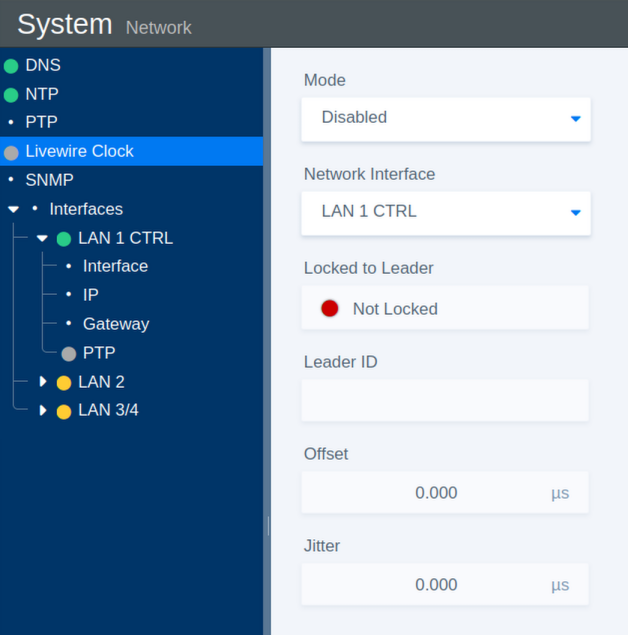
The Livewire Clock section provides synchronization settings and status information for Livewire clocking.
| Parameter | Values | Default | Description |
|---|---|---|---|
| Mode | On / Off | On | Enables or disables Livewire clock synchronization. |
| Network Interface | Select | - | Selects the network interface used for Livewire clock communication. |
| Locked to Leader | Status | - | Indicates whether the system is synchronized to the current Leader Clock. |
| Leader ID | Status | - | Shows the identifier of the current Leader Clock. |
| Offset | Status | - | Shows the time offset between the system and the Leader Clock. |
| Jitter | Status | - | Shows the measured timing jitter. |
SNMP
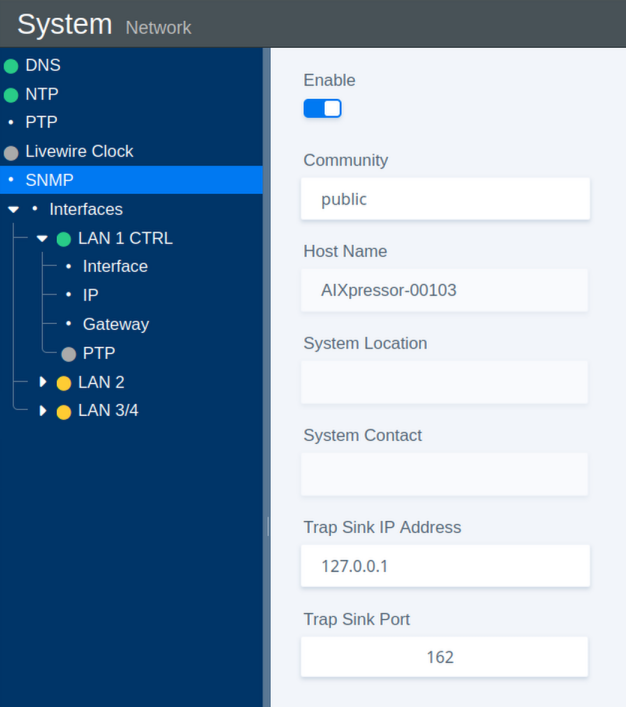
The SNMP section configures Simple Network Management Protocol monitoring.
| Parameter | Values | Default | Description |
|---|---|---|---|
| Enable | On / Off | On | Enables or disables the SNMP agent. |
| Community | Name | public | Defines the community string used for SNMP access. |
| Host Name | Status | - | Shows the system host name. |
| System Location | Status | - | Shows the configured physical location of the system. |
| System Contact | Status | - | Shows the configured contact information for the system. |
| Trap Sink IP Address | IP Address | - | Defines the destination IP address for SNMP trap messages. |
| Trap Sink Port | Port Number | 162 | Defines the destination port for SNMP trap messages. |
Interfaces: IP Address
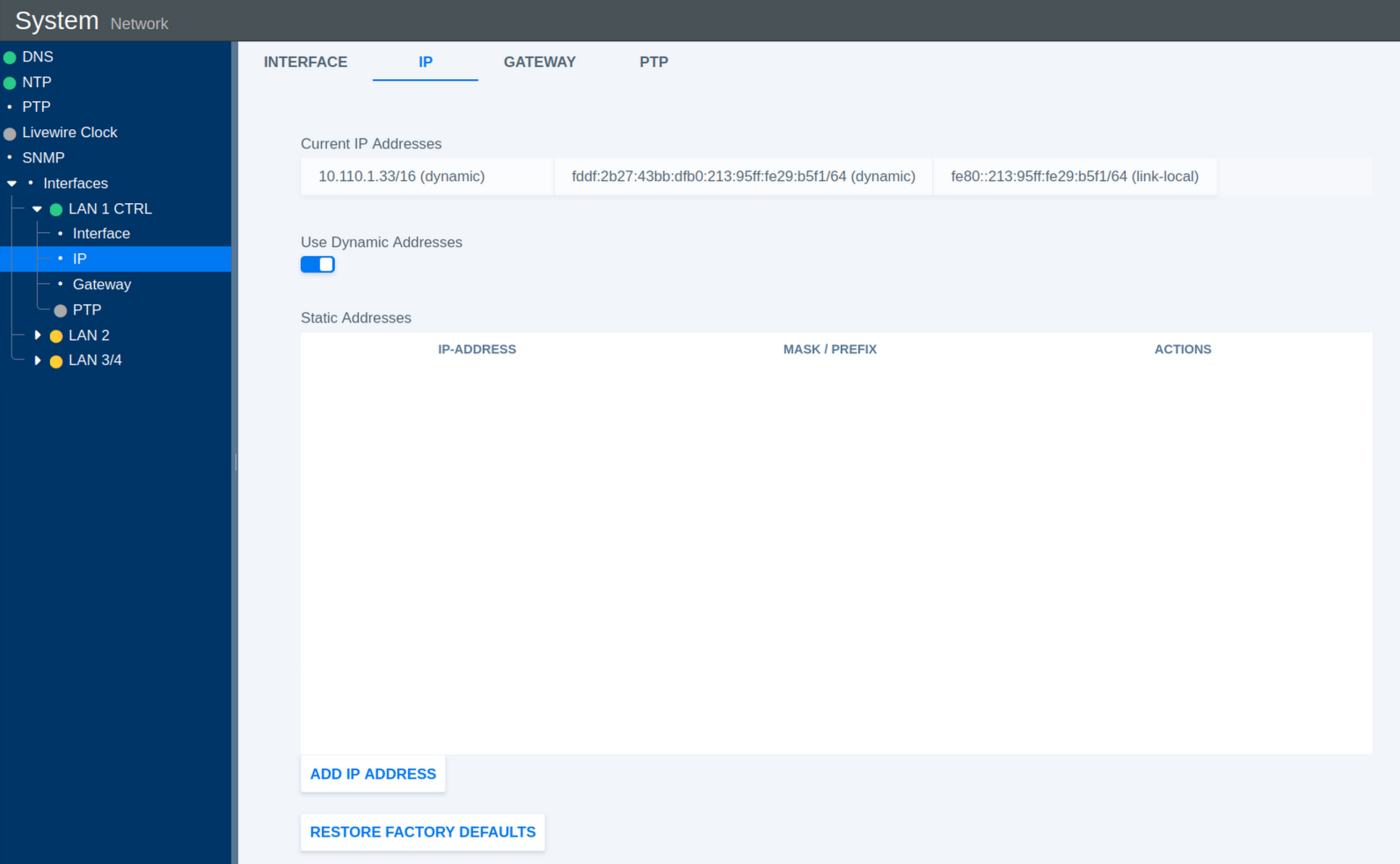
This section configures the IP addresses assigned to the selected network interface.
| Parameter | Values | Default | Description |
|---|---|---|---|
| Current IP Addresses | Status | - | Shows all IP addresses currently assigned to the interface. |
| Use Dynamic Addresses | On / Off | On | Enables or disables automatic IP address assignment using DHCP. |
| Static Addresses | Status | - | Shows the manually configured static IP addresses. |
| Add IP Address | Action | - | Opens a dialog for adding a static IP address and subnet mask or prefix. |
| Restore Factory Defaults | Toggle | Off | Restores the IP configuration of the interface to its factory defaults. |
Add Static IP Address
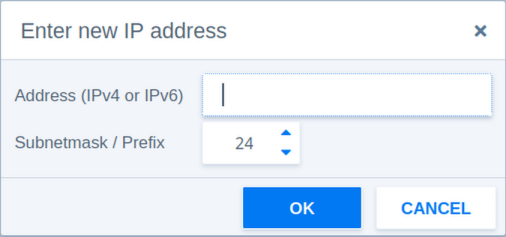
The following parameters are available when adding a static IP address manually.
| Parameter | Values | Default | Description |
|---|---|---|---|
| Address | IPv4 or IPv6 | - | Defines the static IP address. |
| Subnetmask / Prefix | 3-127 | 24 | Defines the network prefix length or subnet mask. |
| Prefix Example 1 | 24 | - | Corresponds to the IPv4 subnet mask 255.255.255.0. |
| Prefix Example 2 | 16 | - | Corresponds to the IPv4 subnet mask 255.255.0.0. |
Interfaces: Gateway
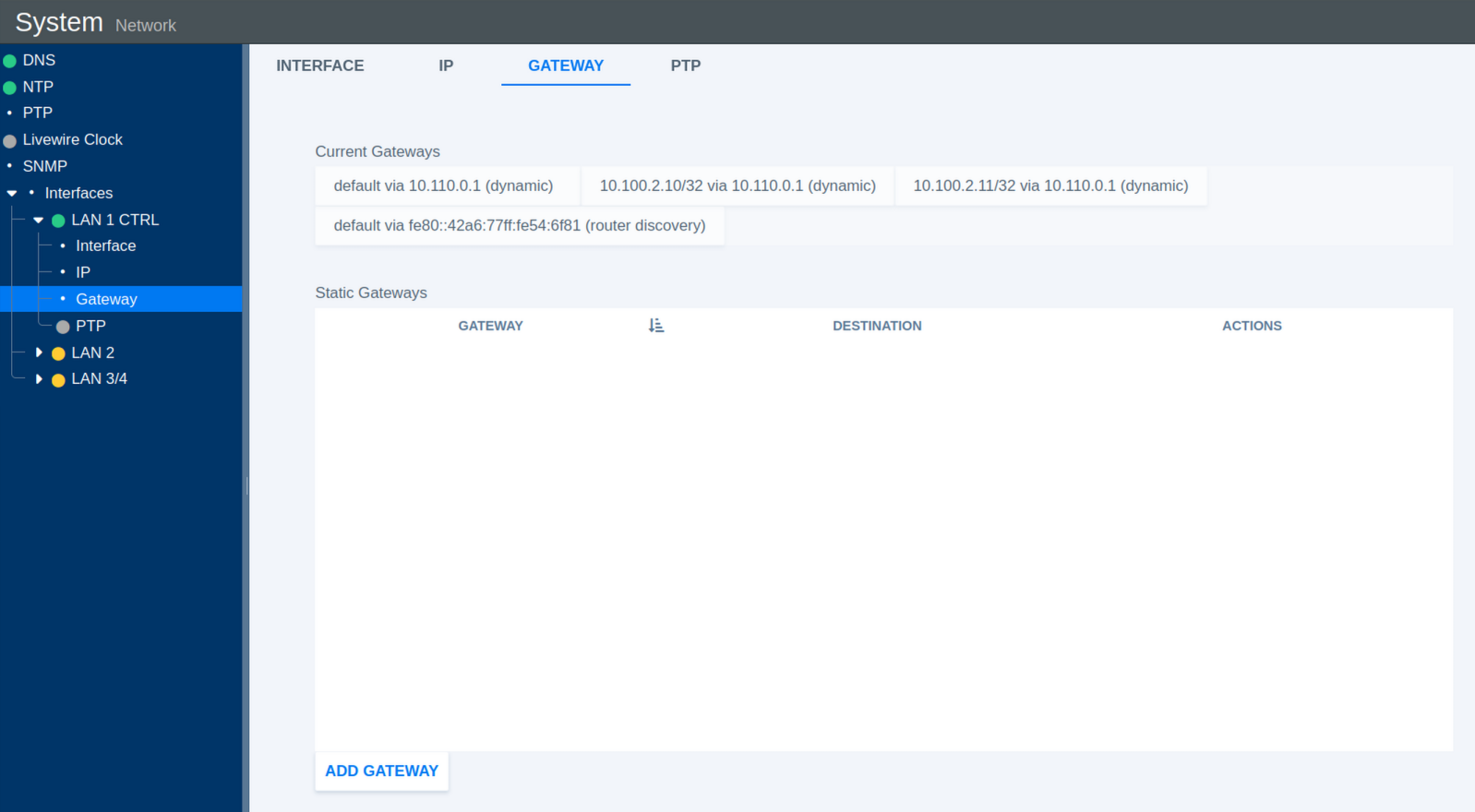
This section configures network gateways for the selected interface.
| Parameter | Values | Default | Description |
|---|---|---|---|
| Current Gateways | Status | - | Shows all currently active gateway addresses. |
| Static Gateways | Status | - | Shows manually configured static gateway addresses. |
| Add Gateway | Action | - | Opens a dialog for adding a static gateway. |
Add Static Gateway
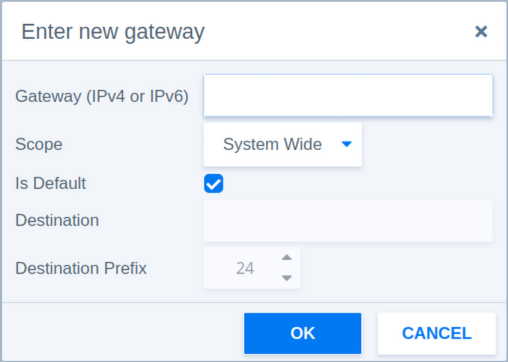
The following parameters are available when adding a static gateway manually.
| Parameter | Values | Default | Description |
|---|---|---|---|
| Gateway | IPv4 or IPv6 | - | Defines the gateway IP address. |
| Scope | System Wide / Link Specific | System Wide | System Wide makes the gateway available system-wide. Link Specific associates the gateway with the selected network interface only. |
| Is Default | Checkbox | - | Sets this gateway as the default route for traffic that does not match a more specific route. |
| Destination Prefix | 3-127 | 24 | Defines the network prefix length of the destination route. |
Interfaces: PTP
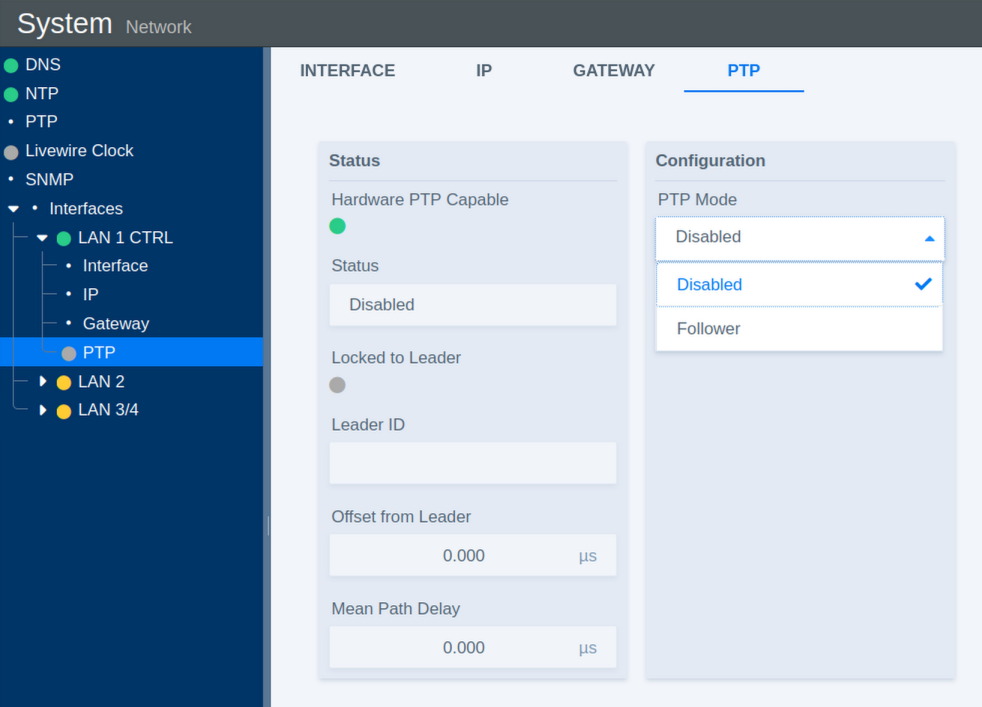
The PTP section configures Precision Time Protocol synchronization for the selected network interface.
| Parameter | Values | Default | Description |
|---|---|---|---|
| Status | Error / Enabled / Disabled | Disabled | Shows the current operational state of PTP synchronization. |
| Locked to Leader | Indicator | - | Indicates whether the system is successfully synchronized to a PTP Leader Clock. |
| Leader ID | Status | - | Shows the identifier of the current PTP Leader Clock. |
| Offset from Leader | Status | - | Shows the time deviation from the Leader Clock in nanoseconds. |
| Mean Path Delay | Status | - | Shows the measured mean network path delay for PTP communication. |
| PTP Mode | Disabled / Follower | Follower | Disabled turns off PTP synchronization on this interface. Follower synchronizes the system to an external PTP Leader Clock. |
PTP Clock Settings
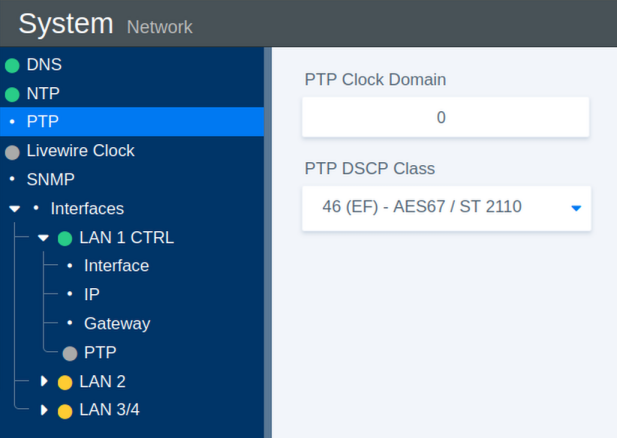
These parameters define the general PTP clock settings.
| Parameter | Values | Default | Description |
|---|---|---|---|
| PTP Clock Domain | 0-127 | 0 | Defines the PTP domain number. Only PTP devices operating in the same domain participate in the same synchronization instance. |
| PTP DSCP Class | 0-63 | 46 | Defines the Differentiated Services Code Point (DSCP) used to prioritize PTP network traffic. |