
Equalizer
Applicability
This description applies to the Mono, Stereo, Surround, and Immersive versions of the Equalizer module.
Overview
Equalizer is a module for adjusting the frequency response of the signal. It provides multiple filter bands that can be used for tonal correction, sound shaping, or compensation.
Processing Principle
Each EQ band applies the selected filter type at the configured frequency, gain, and Q factor. Grouping controls whether channels are adjusted together or independently. The control window of the Equalizer can be switched between Graph View and Grid View. The parameters for filter control are the same.
Parameters
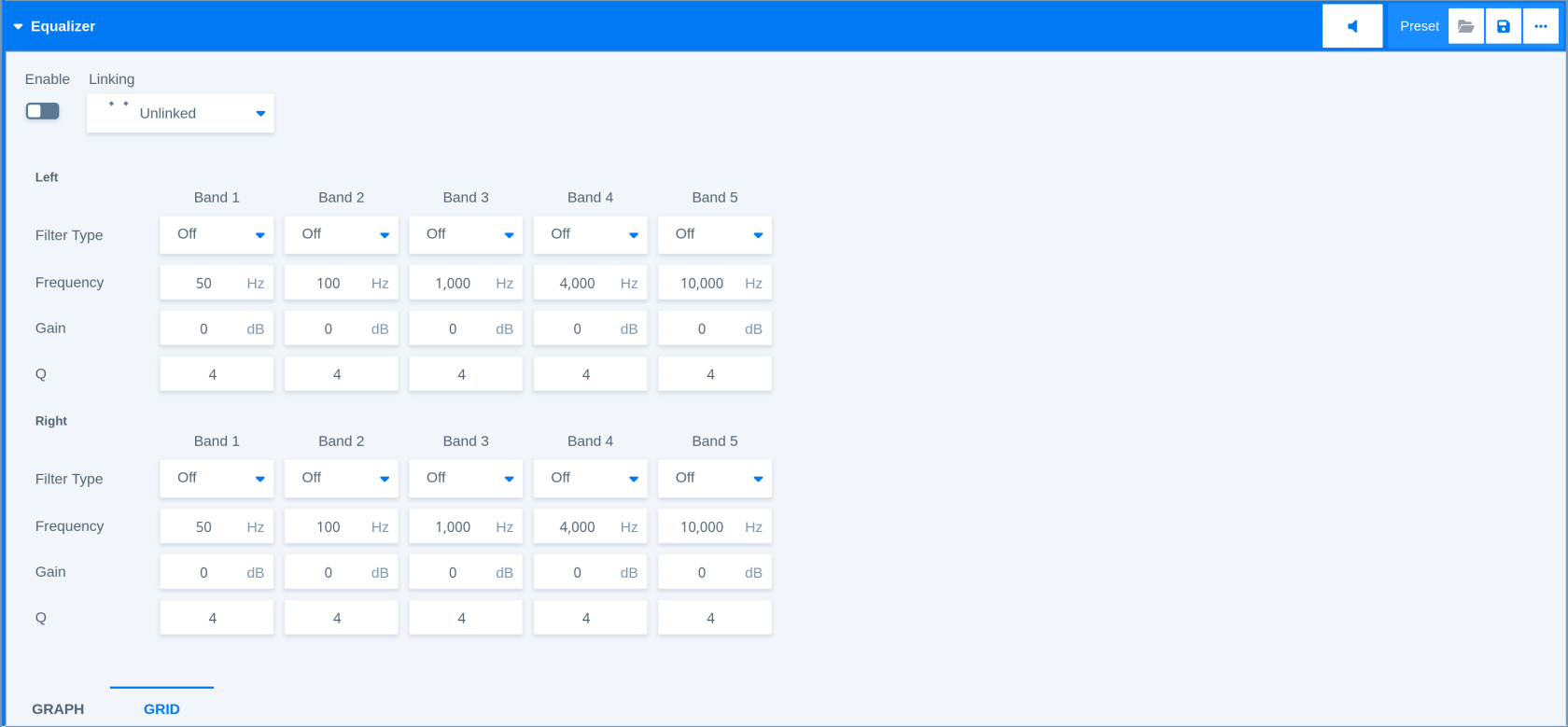
|
Parameter - General |
Description |
|---|---|
|
Enable |
Enables or disables the equalizer stage. |
|
Linking |
Controls how channel parameters are linked for filter adjustments. |
|
Filter Types |
Peak 1 (wider bell curve), Peak 2 (narrower bell type), Lo Shelf (low shelf filter with no resonance), Hi Shelf (high shelf filter with no resonance), Lo Cut (12 dB/octave high-pass), Hi Cut (12 dB/octave low-pass). |
|
Parameter - Equalizer Bands |
Description |
|
Band 1 Filter Type |
Selects the filter type for band 1. |
|
Band 1 Frequency |
Sets the operating frequency for band 1. |
|
Band 1 Gain |
Adjusts the gain for band 1. |
|
Band 1 Q Factor |
Sets the quality (inverse bandwidth) or selectivity for band 1. |
|
Band 2 Filter Type |
Selects the filter type for band 2. |
|
Band 2 Frequency |
Sets the operating frequency for band 2. |
|
Band 2 Gain |
Adjusts the gain for band 2. |
|
Band 2 Q Factor |
Sets the quality (inverse bandwidth) or selectivity for band 2. |
|
Band 3 Filter Type |
Selects the filter type for band 3. |
|
Band 3 Frequency |
Sets the operating frequency for band 3. |
|
Band 3 Gain |
Adjusts the gain for band 3. |
|
Band 3 Q Factor |
Sets the quality (inverse bandwidth) or selectivity for band 3. |
|
Band 4 Filter Type |
Selects the filter type for band 4. |
|
Band 4 Frequency |
Sets the operating frequency for band 4. |
|
Band 4 Gain |
Adjusts the gain for band 4. |
|
Band 4 Q Factor |
Sets the quality (inverse bandwidth) or selectivity for band 4. |
|
Band 5 Filter Type |
Selects the filter type for band 5. |
|
Band 5 Frequency |
Sets the operating frequency for band 5. |
|
Band 5 Gain |
Adjusts the gain for band 5. |
|
Band 5 Q Factor |
Sets the quality (inverse bandwidth) or selectivity for band 5. |
Related Processors
-
Automixer - 5.1
-
Automixer - Stereo
-
FM Conditioner Channel Strip - Stereo
-
Monitoring Controller - 7.1.4
-
Program + Spectral Processing Channel Strip - 5.1
-
Program + Spectral Processing Channel Strip - Stereo
-
Program Processing Channel Strip - 7.1.4
-
Program Processing Channel Strip - 7.1.4 (+Upmix)
-
Voice Processing Channel Strip - Mono
-
Voice Processing Channel Strip - Stereo